A cut list is the bridge between a plan on paper and timber in your hands. Before you make a single cut, the cut list tells you exactly what pieces you need, how big each one is, and what material it comes from. Builders who skip the cut list — or who don’t know how to read one properly — waste timber, buy the wrong sizes, and end up cutting pieces twice. Learn to use a cut list well and your projects will go together faster and cleaner from the very first build.
What Is a Cut List?
A cut list (sometimes called a parts list or materials list) is a table that breaks a woodworking project down into every individual piece of timber you need to cut. It’s usually the first thing you read after the overall project dimensions, before you look at any joinery details or step-by-step instructions.
Every well-written cut list contains the same core columns. Here’s what each one means:
The Columns Explained
- Part Name — what the piece does in the project (e.g. “Front Leg”, “Top Slat”, “Back Panel”)
- Quantity (Qty) — how many identical pieces you need to cut
- Thickness (T) — the thickness of the board, measured face-to-face. Usually matches the nominal timber thickness minus the planing allowance (e.g. 19 mm for a 1× board)
- Width (W) — the width of the piece measured across the face grain. For solid timber, this is the narrower face dimension
- Length (L) — the length along the grain. Usually the longest dimension
- Material — the species or sheet type (e.g. “19 mm pine DAR”, “12 mm plywood”, “90 × 90 mm hardwood post”)
- Notes — optional column for details like “mitre cut”, “dado required”, or “rough cut to length first”
Example Cut List: Simple Garden Bench
The table below is a complete cut list for a flat-top garden bench, 1500 mm long × 400 mm deep × 450 mm tall. All timber is 19 × 90 mm DAR pine unless noted.
| Part Name | Qty | Thickness (mm) | Width (mm) | Length (mm) | Material |
|---|---|---|---|---|---|
| Seat Slat | 4 | 19 | 90 | 1500 | 19 × 90 mm pine DAR |
| Front Leg | 2 | 42 | 42 | 432 | 42 × 42 mm pine PAR |
| Back Leg | 2 | 42 | 42 | 432 | 42 × 42 mm pine PAR |
| Long Stretcher | 2 | 19 | 90 | 1416 | 19 × 90 mm pine DAR |
| Short Stretcher | 2 | 19 | 90 | 316 | 19 × 90 mm pine DAR |
| Seat Support (cross-rail) | 3 | 19 | 90 | 362 | 19 × 90 mm pine DAR |
Notice the long stretcher is 1416 mm, not 1500 mm — it sits between the legs, so it’s shorter than the overall bench length by the thickness of two legs (2 × 42 mm = 84 mm, subtracted from 1500 mm). This is the kind of dimension the cut list works out for you so you don’t have to figure it out mid-build.
How to Read a Cut List at the Hardware Store
Walk into Bunnings with your cut list and do this before you touch any timber:
- Group parts by material — circle all the 19 × 90 mm parts, all the 42 × 42 mm parts, etc. This stops you walking back and forth between aisles
- Calculate total lineal metres per size — add up the lengths of all pieces in each group, then add 10–15% for waste and kerf. This tells you how many metres (or how many 2.4 m lengths) to buy
- Check for long pieces — if any single piece is longer than a standard 2.4 m length, you’ll need a 4.2 m or 5.4 m board, or you’ll need to join two shorter boards
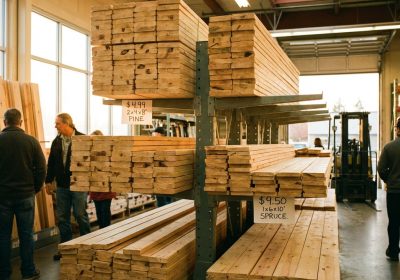
- Verify actual vs nominal sizes — confirm the timber on the shelf matches the actual dimensions in your cut list. Dressed pine 19 × 90 mm is what you want, not rough-sawn 25 × 100 mm
How to Create Your Own Cut List from a Plan That Doesn’t Have One
Many older plans — and a lot of plans found online — show dimensions on a drawing but don’t include a cut list. Creating your own takes about 15 minutes and saves hours of confusion during the build.
- Read the plan drawings carefully and identify every distinct part
- Name each part descriptively (front rail, left side panel, etc.)
- Find the thickness, width, and length from the plan dimensions — if the drawing shows a finished dimension, that’s your cut size
- Count how many of each piece is needed
- Identify the material (the plan notes or species recommendation)
- Build the table and double-check it against the drawings before buying anything
Common Cut List Mistakes
Forgetting the Kerf Allowance
A saw blade removes material as it cuts — typically 3 mm for a circular saw or table saw blade. If you’re cutting multiple pieces from a single board and you haven’t accounted for the kerf, your last piece will be 3–6 mm short. When calculating how many pieces you can get from a board, add 3 mm for every cut to your total length calculation.
Confusing Nominal and Actual Sizes
A plan that says “cut from 2×4 lumber” means the piece is cut from a board with actual dimensions of 38 × 90 mm (or 1-1/2″ × 3-1/2″ in imperial). If the plan’s cut list gives you finished dimensions of 38 mm × 90 mm, that’s the full width of the dressed board — there’s no further cutting on those faces. If the cut list gives 38 mm × 65 mm, you’ll need to rip the board down on the table saw.
Not Accounting for Planing or Jointing
If you’re working with rough timber and planning to surface it yourself, add 3–5 mm to thickness and width in your cut list — that’s the material you’ll remove. Only finalise dimensions once the timber is dressed to its finished thickness.
Skipping the Parts Check Before Cutting
After you cut all pieces, lay them out and check them against the cut list before assembly. It takes five minutes and catches short cuts before they become structural problems.
Every good plan starts with a solid cut list, and the more projects you do, the faster you’ll read and create them. If you want plans that include detailed, complete cut lists for every project from beginner to advanced, Ted’s Woodworking includes full cut lists, materials lists, and step-by-step guides for over 16,000 projects.